June 10th, 2026
New

Hi everyone!
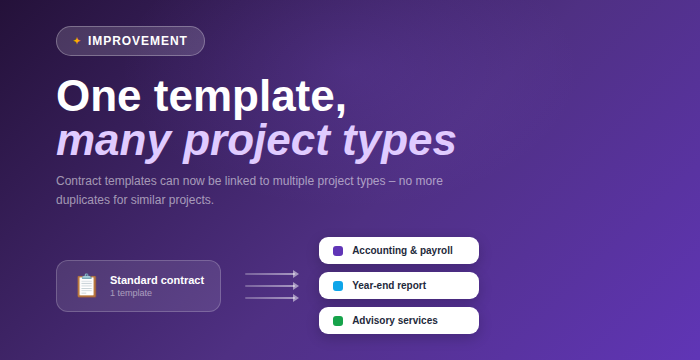
More flexibility in contract setup is here 📋💜
Contract templates can now be linked to multiple project types at the same time, so you no longer need to create duplicate templates for similar projects.
June 3rd, 2026
Improved

Hi everyone!
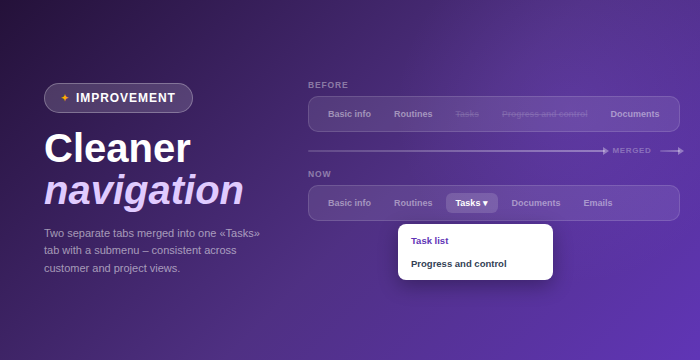
A cleaner and more streamlined experience in the customer card 🧹💜
The separate "Tasks" and "Progress & Control" tabs in the customer details modal have now been merged into a single "Tasks" tab with a submenu.
• One unified Tasks tab with a submenu replaces two separate tabs
• Consistent navigation across customer and project views
May 28th, 2026

Hi everyone!
Setting up new projects correctly from day one just got a whole lot easier 🎯💜
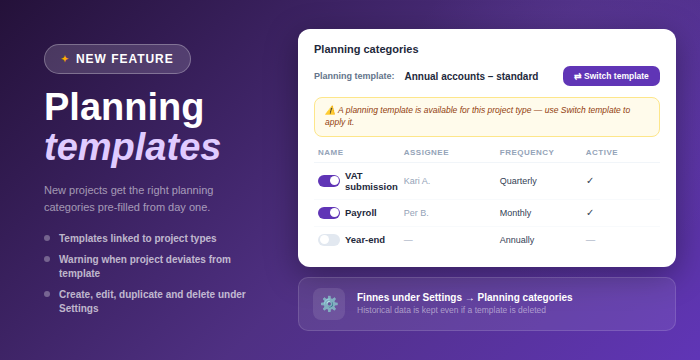
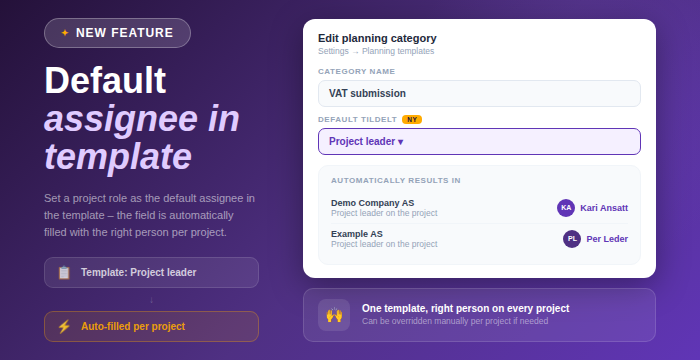
We’ve introduced support for planning templates, allowing different project types to have their own predefined setup from the very start.
Ability to create, edit, duplicate, and delete planning templates under Settings → Planning categories
Templates can now be linked to project types, so new projects automatically get the correct planning categories prefilled
A warning is displayed if a project’s template differs from the assigned project type
Historical data is preserved even if a template is deleted
Available under Settings → Planning categories 🚀
May 8th, 2026
New

Hi everyone!
Managing documents in chat just got a whole lot easier ✨💜
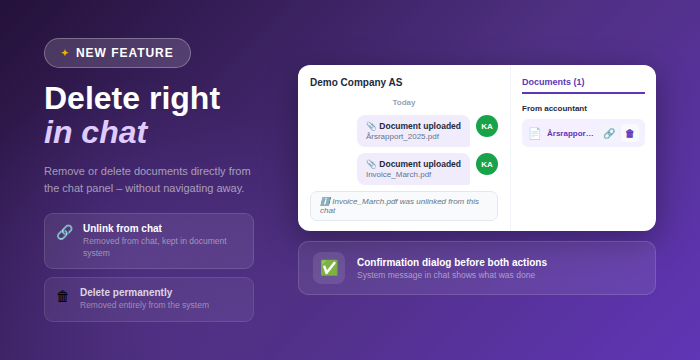
You can now handle documents directly from the chat panel, whether you want to simply remove them from the conversation or delete them entirely.
Two new actions per document in the chat panel on hover:
Remove from conversation, which detaches the document from the chat but keeps it in the document system
Delete permanently, which removes the document from the system entirely
Confirmation dialog for both actions to prevent mistakes
Documents are removed instantly from the chat list after an action is performed
System message in the chat clearly showing what action was taken
A faster and more seamless way to manage documents without leaving the chat
This gives you better control and a smoother workflow when working with documents in chat 💡
May 7th, 2026
New

Hi everyone!
We’ve introduced a smart new feature in chat that helps prevent one of the most common mistakes in a busy workday 📎💜
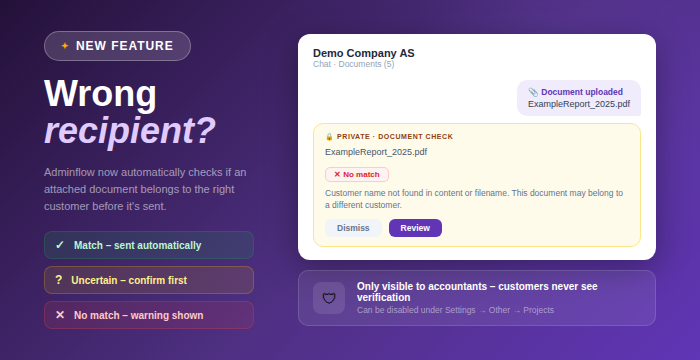
Adminflow now automatically checks whether an attached document belongs to the correct customer before it’s sent, significantly reducing the risk of sending files to the wrong recipient.
Automatic background verification when a document is attached in chat
Private status message (visible only to accountants) showing the verification result
Three clear outcomes:
Document matches the customer and is sent automatically
Uncertain match where the accountant is asked to confirm before sending
No match with a clear warning and option to send anyway or cancel
Attachments may now be temporarily held while verification is in progress before being sent
Increased security when sharing documents in chat
Accountants can always choose to override and send the attachment anyway
The feature can be disabled under Settings → Other → Projects
If the verification service is unavailable, the attachment is sent as normal
This adds an extra layer of safety to your communication without slowing you down 🚀
May 6th, 2026
New

Hi everyone!
We’re continuing to expand our international support, and this time we’ve got great news for those working with Finnish users 🇫🇮💜
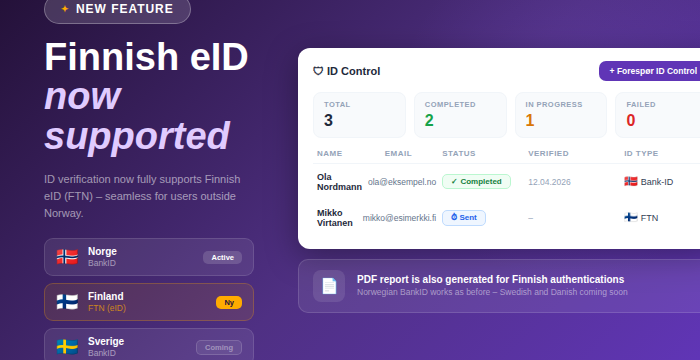
Identity verification now fully supports Finnish eID (FTN), making the process seamless for users outside of Norway.
Full support for Finnish eID (FTN) for identity verification
PDF reports are now generated for Finnish authentications
Status now updates correctly after successful verification with Finnish eID
Clearer and more helpful error messages for failed or cancelled verifications
A more stable and predictable verification flow for Finnish users
Norwegian BankID works as before, and support for Swedish BankID and Danish MitID will come in separate updates 🚀
May 5th, 2026
Improved

Hi everyone!
We’ve made a major upgrade to the AML module, giving you much better insight into ownership structures 🧩💜
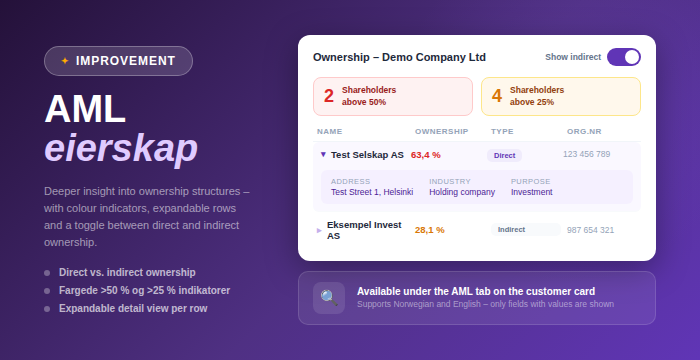
The ownership table in the AML tab on the customer card has been significantly enhanced, with more detailed information and smarter ways to explore ownership.
Toggle between direct and indirect ownership views
Colored indicators showing number of shareholders above 50% and 25% ownership
Indicators update dynamically when switching between views
Expandable rows with detailed shareholder information, including address, organization number, industry, and purpose
For individual shareholders, date of birth and address are also displayed
The table now only shows fields that contain values, resulting in a cleaner and more relevant view
A more interactive and informative ownership overview, making it easier to understand complex structures
Available in both Norwegian and English
This makes AML work both more efficient and more precise, especially when working with complex ownership structures 🚀
May 4th, 2026
New

Hi everyone!
A highly requested update is here, giving you much better visibility and control over changes on your customer records 💜
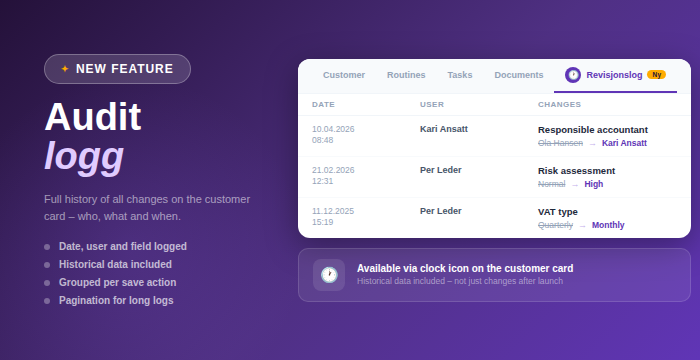
We’ve introduced a new audit log on the customer card, providing a complete history of all changes made to a customer.
New audit log tab on the customer card, accessible via a clock icon
Full overview of changes including date, user, field, previous value, and new value
Historical data included, not just changes made after release
Multiple field changes from the same save are now grouped into a single row for better readability
Pagination makes it easy to navigate through long change histories
This makes it much easier to track changes, review history, and stay in control of your customer data 🚀
April 30th, 2026
Improved

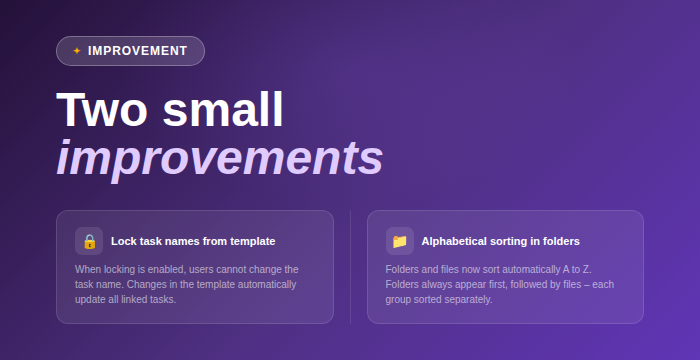
Better control of task names from templates
You can now lock task names directly in task templates. When enabled, users can’t change the name of tasks created from the template. If you update the name in the template, it will automatically update across all linked tasks. When not enabled, everything works as before.
Cleaner document sorting
Content in folders is now automatically sorted alphabetically A to Z. Folders are always shown first, followed by files, and both groups are sorted individually. This makes it easier to find what you’re looking for, especially in larger folders.
April 22nd, 2026
New

You can now search for and create companies directly from the Finnish company register (PRH), similar to how Norwegian companies are handled via the Brønnøysund Register Centre. This is available across multiple parts of the platform, making it easier to work seamlessly with Finnish clients.
Choose between Norway (Brreg), Finland (PRH), or manual registration when creating a new customer
Search by company name or organization number to automatically fetch and prefill company data from PRH
Update button on the customer card to retrieve the latest available data
Available in:
Customer creation
The AML module
Updating existing customer records
AML support for Finnish companies
Company data is retrieved from PRH
Screening and beneficial ownership data are provided via Signicat
The Finnish company register currently provides limited data
Financial information is not yet available
Automatic nightly updates are currently only supported for Norwegian companies
PRH is expected to release a new API this summer, including support for contact persons. We plan to evaluate further integration once this becomes available
This is an important step toward stronger Nordic support, and we’re excited to continue building on this going forward 🌍