April 30th, 2026
Improved

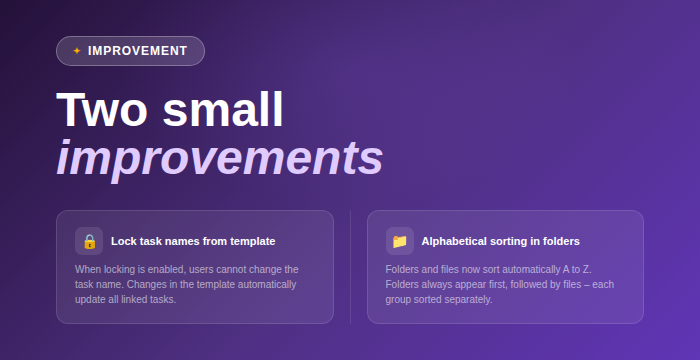
Better control of task names from templates
You can now lock task names directly in task templates. When enabled, users can’t change the name of tasks created from the template. If you update the name in the template, it will automatically update across all linked tasks. When not enabled, everything works as before.
Cleaner document sorting
Content in folders is now automatically sorted alphabetically A to Z. Folders are always shown first, followed by files, and both groups are sorted individually. This makes it easier to find what you’re looking for, especially in larger folders.
April 22nd, 2026
New

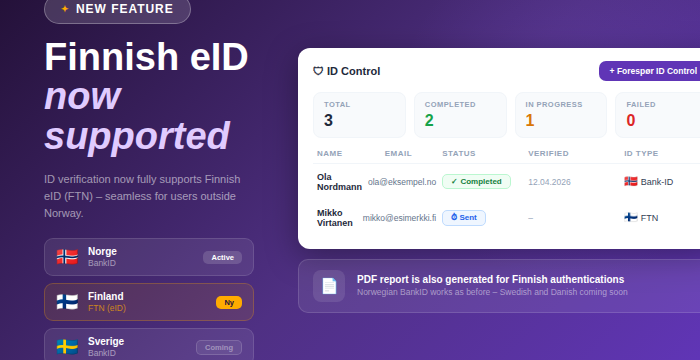
You can now search for and create companies directly from the Finnish company register (PRH), similar to how Norwegian companies are handled via the Brønnøysund Register Centre. This is available across multiple parts of the platform, making it easier to work seamlessly with Finnish clients.
Choose between Norway (Brreg), Finland (PRH), or manual registration when creating a new customer
Search by company name or organization number to automatically fetch and prefill company data from PRH
Update button on the customer card to retrieve the latest available data
Available in:
Customer creation
The AML module
Updating existing customer records
AML support for Finnish companies
Company data is retrieved from PRH
Screening and beneficial ownership data are provided via Signicat
The Finnish company register currently provides limited data
Financial information is not yet available
Automatic nightly updates are currently only supported for Norwegian companies
PRH is expected to release a new API this summer, including support for contact persons. We plan to evaluate further integration once this becomes available
This is an important step toward stronger Nordic support, and we’re excited to continue building on this going forward 🌍
April 21st, 2026
New

Hi everyone!
Adminflow just became more flexible 💜 You can now register both companies and private individuals as customers.
Choose customer type when creating a customer
Select between company and private individual using a new, simple card-based option
The customer type is clearly shown as a badge in the header
Dedicated flow for private individuals
No requirement for organization number
New fields for national identity number and date of birth
Date of birth is automatically derived from the identity number
Identity number is masked, with option to show or hide
Companies work as before
No changes to existing flow
Continued support for registry lookup and manual entry
Customer portal is currently only available for companies
April 20th, 2026
New

Hi everyone!
A small but very useful update on the AML side. 👀
It’s now much easier to export AML documentation in Adminflow. You can export control forms directly from the AML overview without going through the admin panel.
This makes the process faster and gives you a smoother workflow when you need documentation.
What’s new:
A new export button is now available directly in the AML overview
A confirmation modal shows what will be included before you proceed
The export includes the latest AML form with status Control done per template
For larger exports, the file is generated in the background and sent to your email when ready
A simple improvement that makes everyday AML work a bit more efficient ✨
April 17th, 2026
Improved

Happy Friday! 🎉
Here’s a small update to make your day a bit smoother ✨
We’ve made it easier to customize how you work with data in Adminflow, especially in overviews and when using filters.
You can now:
Reorder columns directly in the overview using drag and drop
Adjust column widths as needed
A small improvement that gives you more flexibility and a smoother workflow 🙌
April 10th, 2026
Improved

You can now upload multiple files at the same time across several areas in Adminflow. Previously, files had to be uploaded one by one, and in some places it was not possible to upload multiple documents at all. This has now been improved ✨
You can now select and upload multiple files in one go, wherever you are working.
This applies to the following areas:
Adminflow board room:
Board room → Meeting calendar → Edit meeting → Attachments
Cap table → Attachments
Adminflow firm:
Quality control → Attachments
Tasks → Task list → Attachments
This makes handling documentation much faster and smoother, especially when working with multiple files
April 9th, 2026
New

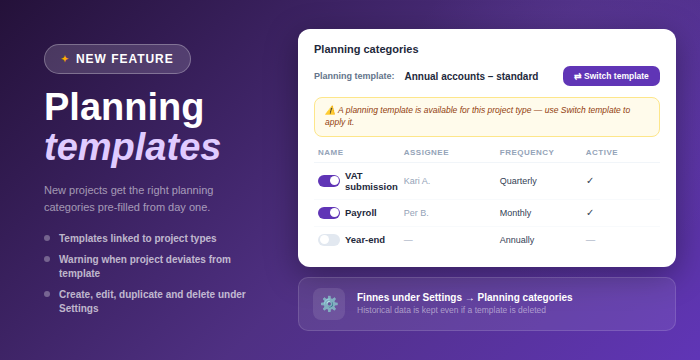
We’ve introduced a new level called specifications under planning categories. This allows you to break down work further and define exactly what should be delivered in a project.
Specifications help structure both contracts and tasks in a more precise way. For example, you can go from a high level category like payroll or accounting to concrete deliverables, giving better visibility and clearer ownership.
When a planning category is selected during project creation, its specifications are automatically included. These inherit frequency, period, and responsible from the parent category, so you don’t have to configure everything manually.
You can also control where specifications are used. Some can apply only to contracts, others only to tasks, or both. When used for tasks, they automatically generate tasks with the correct name, responsible person, frequency, and due date, making setup faster and more consistent.
It’s also possible to add project specific specifications directly within a project. These only apply to that specific contract and do not affect global settings 💜